



Health checks are a crucial part of any distributed system. Especially in the world of microservices, it is important to understand if the service is running healthy or not, which causes our app not to work as expected.
Health checks are the important task of Load Balancer in the system to find which system is healthy and which is not, so that it can route the requests to systems that are running healthy.
ASP.Net Core has the support for health checks through middleware and extension methods.
The different scenarios of an application that we need through health checks?
- Checking out the dependencies such as a database or other services are responding or not
- Usage of physical resources on the machine
We usually use health checks to keep track of applications and to see how the applications are functioning. The health check results are also in use for scaling applications may be vertical or horizontal based on how the service is responding in response time.
Types of Health Check Results
- Healthy: This status is returned when every service works fine
- Unhealth: This status is returned when any service does not work as expected.
- Degraded: This status is returned when the service is taking more time than SLA.
Now it’s time to go deeper into the implementation by creating a new ASP.Net Core app.
- Open Visual Studio, Create a new project, and select ASP.Net Core Web App.
- Open Startup.cs and Change in ConfigureServices method
Change in ConfigureServices
In the ConfigureServices of the Startup class, in the dependency injections container, add the health check system. For that, call the AddHealthCheck extension method on the IServiceCollection instance. The method will return an instance of IHealthChecksBuilder.
As the name suggests the IHealthChecksBuilder provides methods to set up and link health checks. We will call the AddCheck method on IHealthChecksBuilder returned by AddHealthCheck. The AddCheck method takes 2 parameters, first is the name of the health check and the second is the Func delegate that returns HealthCheckResult.

Change in Configure method
In this step, we will add health check middleware and for that, we need to modify the UseEndpoints extension method of the IApplicationBuilder instance.

The MapHealthChecks method takes the parameter in the URL pattern format. Here I used “healthCheck” as the parameter value. You can use whatever you want.
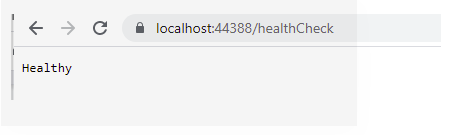
Now when we run the application and hit the healthCheck URL, it will show the following output
Implementing Health Check for SQL instance
In the previous example, we have directly returned healthy status but this is not the case in real-time scenarios. So, in this example, we will create a custom HealthChecker for SQL
We will create a new class DBHealthChecker whose only responsibility is to connect to the database. Will make this class as static as we are going to call it in the Startup class only nowhere else. And this is how it looks like
 

Now we need to change the ConfigureService code to use the above class as follow:

This will give a result Healthy if the connection with DB is successful else return unhealthy. We can also use custom messages with the status in the Console.