In order to configure your Facebook app to be successfully approved, refer to the below step-by-step guide. Additional information is also available on the Facebook developers console guidelines page. Important aspects to pay attention during configuration are:
THINGS YOU NEED BEFORE APP SUBMISSION
App details:
- Logo: 1024 x 1024 high-resolution image for your app
- Long Description: Explanation of what your app does and why you need the functionality going through review
- Privacy Policy: An accessible website URL that hosts your privacy policy
Status and Review:
- General instructions of what your app does.
- Individual notes on each of the additional requested permissions as detailed below.
- Individual steps to replicate functionality for additional requested permissions as detailed below.
- At least 4 screenshots of your in-app experience.
- A version of your iOS or Android app:
- iOS Simulator Build or Apple Store ID listed in Settings
- APK file or Android Package Name listed in Settings
Additional Requested Permissions
- publish_actions – Used when pushing data to Facebook through our API. Ex: Post status API.
- read_friendlists – Used to access the custom lists of friends a user has created. (does not access the complete list of a user’s friends for the given app, It allows you to request the friends that are also a part of your app environment)
- read_stream – Used for reading the posts in a person feed.
- user_status – Used to access a person status messages.
- user_events – Used to retrieve a list of events that a user has subscribed to.
- user_groups – Used to retrieve a list of groups a user is a member of.
- user_likes – Used to access a list of all pages and objects that a user has liked.
- user_videos – Used to access the videos a user has uploaded or been tagged in.
- user_photos – Used to access the images a user has uploaded or been tagged in.
- Note: Facebook requires that you have accepted permissions to publish_actions as well when requesting the user_photos API.
- user_tagged_places – Used to access the places a user has been tagged in.
- user_about_me – Used to access the users bio/about information.
- user_birthday – Used to access the date and month of a user’s birthday, it may or may not include the year depending on their privacy settings.
- user_education_history – Used to access a user’s education history.
- user_hometown – Used to access the user’s hometown.
- user_location – Used to access the user’s current city.
- user_relationship_details – Used to access the persons interested in data.
- user_relationships – Used to access details on the user’s relationship status, significant other and family data.
- user_religion_politics – Used to access the users religious and political affiliations.
- user_work_history – Used to access details on the users work history and the list of employers.
STEP-BY-STEP APPROVAL GUIDE
- Log in to your Facebook Developers Account
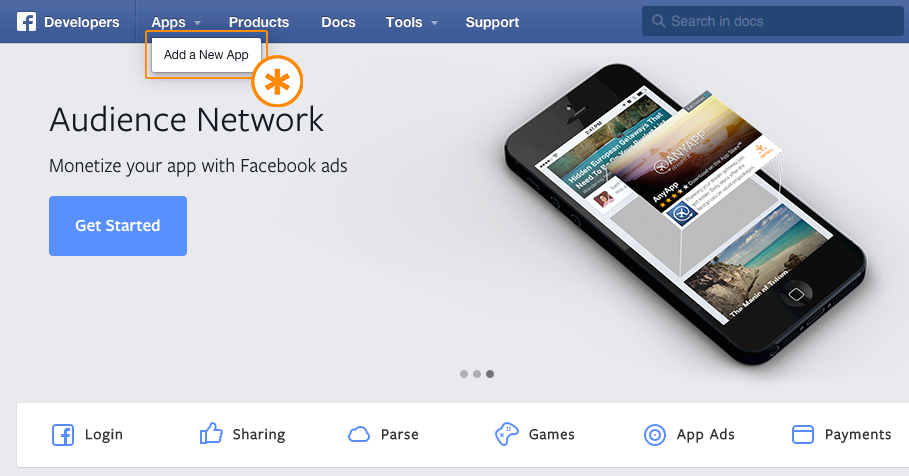
- Select your Facebook app from the App drop-down as shown or you can create a new app select that (Here we have created app named Awesome App)

- Click on “Status & Review” to submit the app for review
- Start the submission process by clicking on “Start a Submission”
- Select the permissions that you want to enable for the app
- Add the screenshots highlighting the use-case of Facebook app for your website/app
- Make sure to complete the required settings for every permission that you are going to ask the user. If there are any missing parameters, a red error icon will be come up as shown below. Click on the red error icon to complete the settings.
- Along with this make sure to “Add Notes” too. This is a must for the approval process.
- After completing all the details, submit the app for review.
- Accept the Facebook platform Terms and Conditions and submit the request